
Data Collection Rules
About this task
Data collection rules allow SOTI Connect administrators to automatically gather device data at scheduled intervals. This data is essential for monitoring, reporting, troubleshooting, and optimizing device performance. Collected information is available in the Collected Data tab for analysis.
Key Features
- Automated data gathering: These rules specify which device properties or metrics to collect, for example temperature, battery status, signal strength, or custom sensor readings.
- Targeted collection: You can apply rules to specific devices or groups, ensuring you're only collecting relevant data.
- Scheduled or event-based: You can trigger rules at regular intervals or based on specific events.
Best Practices
- Collect only required properties: Gathering unnecessary properties can consume excessive storage and impact performance.
- Target size recommendation: Avoid targeting more than 20,000 devices using a single data collection rule.
- Stagger scheduling: When using multiple data collection rules, schedule them 10—15 minutes apart to ensure optimal server performance.
Procedure
To create a data collection rule:
- From the SOTI Connect main menu, select Rules.
- In the left-hand pane, choose Data Collection Rules.
-
Select
New Rule to create a new data collection rule. The Add New Rule
window appears.
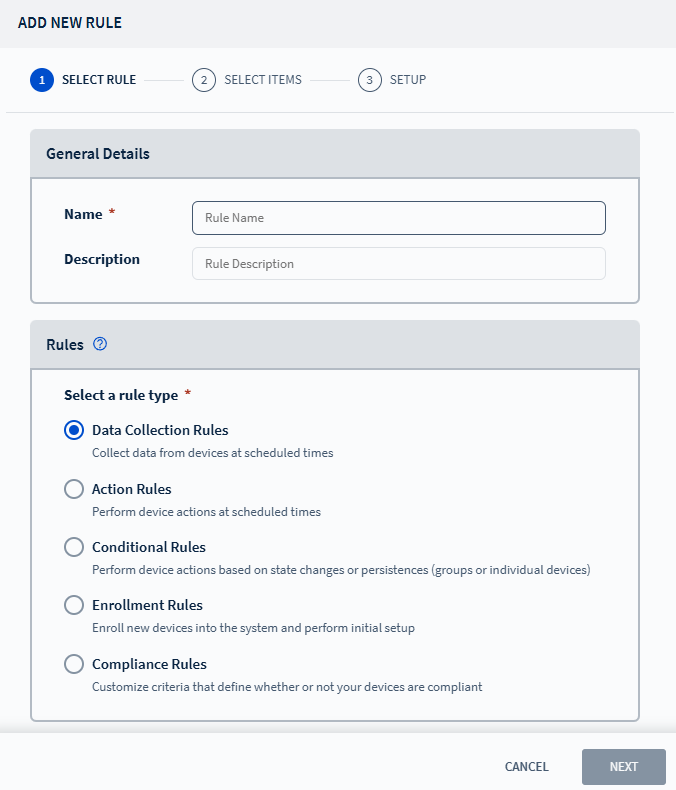
- Enter a name and description for the rule. Select Next to navigate to the Setup tab.
- Choose the target scope: Devices, Groups, or Device Types. See Choosing a Device for more details.
- Configure the collection schedule and any additional actions. See Adding Actions for details.
-
Enable Collect Data From all Properties to gather all available device
properties.
Tip: Disable this toggle to collect data only from specific selected properties. See Available Device Properties for more information.
-
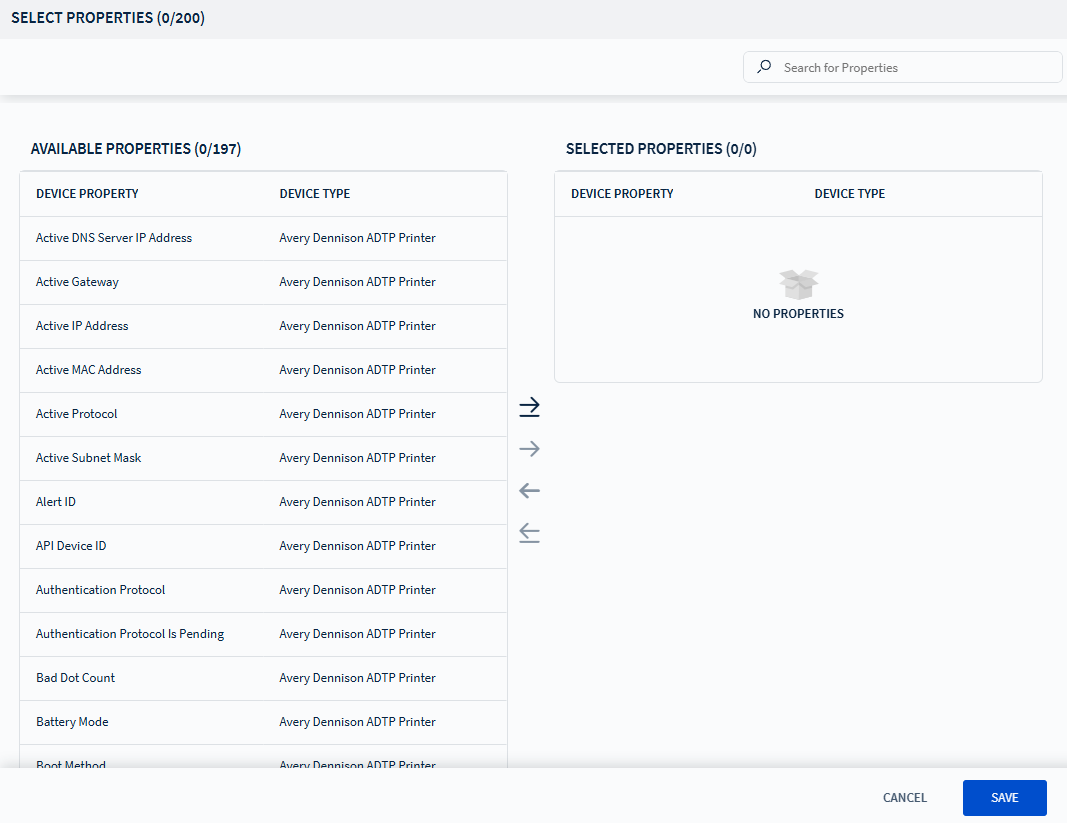
Select to open Select
Properties window, then use the following buttons:
- : Adds the selected property to the rule.
- : Removes the selected property from the rule.
- : Adds all properties to the rule.
- : Removes all properties from the rule.
- Select Finish to create the rule.