
Action Rules
About this task
Action rules enable SOTI Connect administrators to perform specific device actions at scheduled times or on a recurring schedule. These actions can include tasks such as updating configurations, initiating device check-ins, renaming devices, or pushing firmware updates.
Why it is helpful:
- Automates repetitive device management tasks.
- Reduces manual effort and operational overhead.
- Ensures critical updates or actions are consistently applied across devices.
Procedure
- From the SOTI Connect main menu, select Rules.
- In the left-hand pane, select Action Rules.
-
Select
New Rule to create a new Action rule. The Add New Rule window
appears.
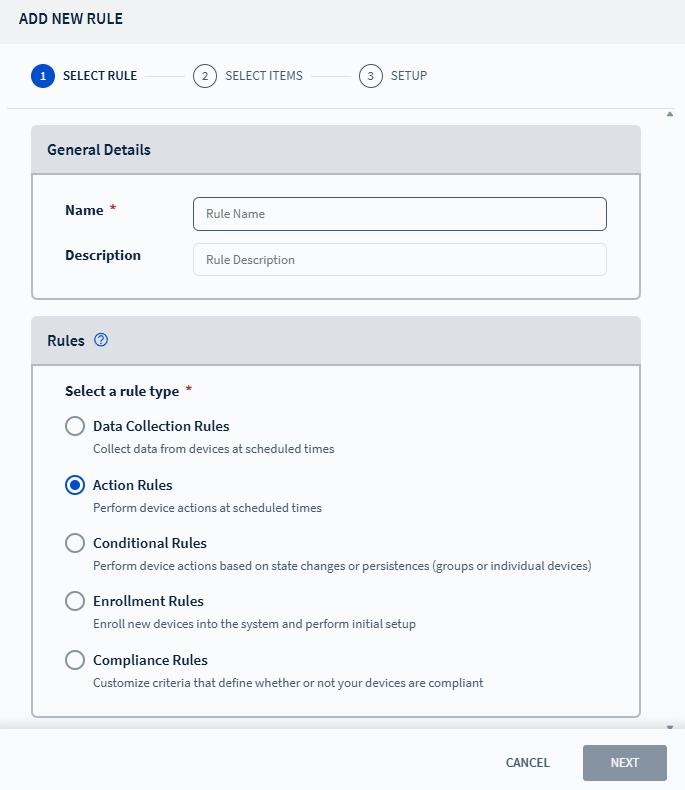
- Enter a name and description for the Action rule, then select Next to navigate to the Select Items tab.
- Choose the target scope: Devices, Groups, or Device Types, then select Next to navigate to the Setup tab. See Choosing a Device for more details.
-
Configure the frequency for when the rule should trigger, then configure the
rule start date and time:
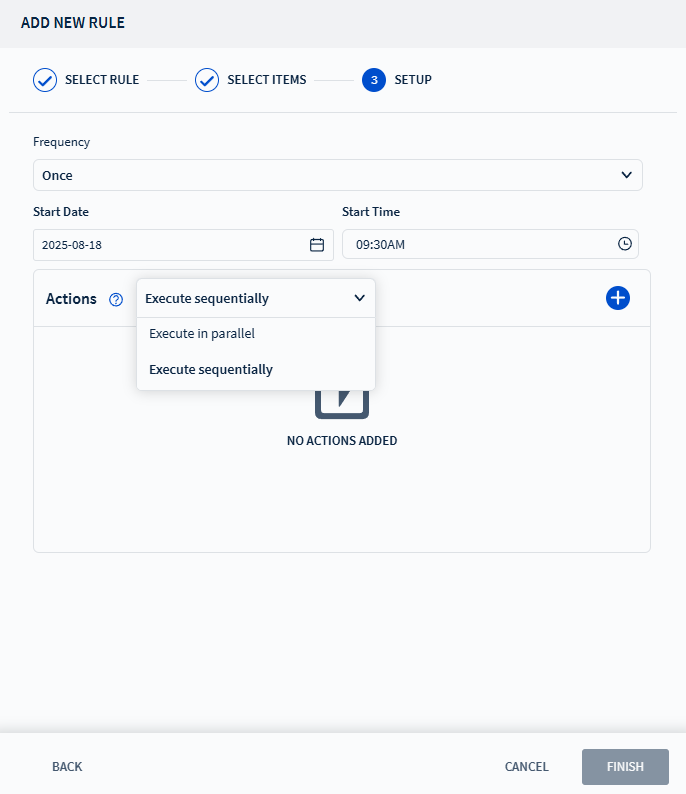
Start Date Set the date when the rule should become active. Start Time Set the time when the rule should become active. - Configure one or more actions for the rule. See Adding an Action for more details.
- Select Finish to complete the setup.