
Deleting a File From the File Store
About this task
Warning: Deleted files cannot be restored.
Procedure
- From the SOTI Connect main menu, navigate to File Store.
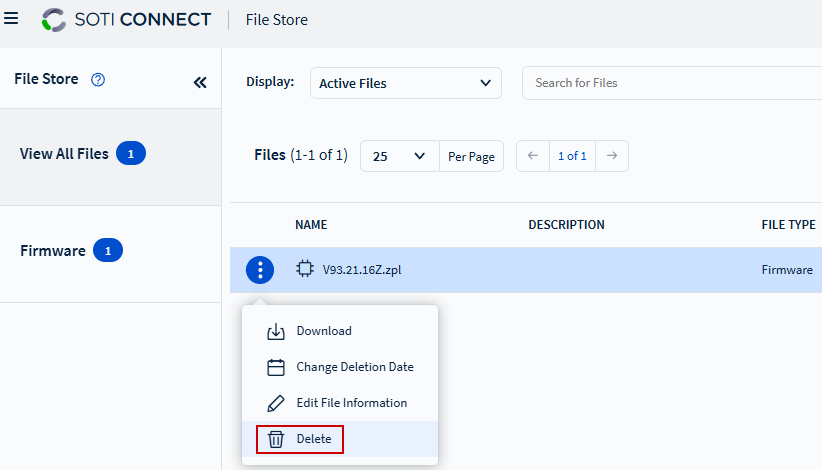
- Choose either View All Files or Firmware view. The right pane displays the files available in the selected view.
- In the right pane, locate the file you want to delete and select More.
-
Select
Delete from the menu list.
- In the confirmation message box, select Delete to confirm.