
Searching for a Device
About this task
Procedure
- From the SOTI Connect main menu, select Devices.
-
Select the Search Bar to start a search.

-
Under Properties, choose the type of property to search by. See Device Properties for more details.
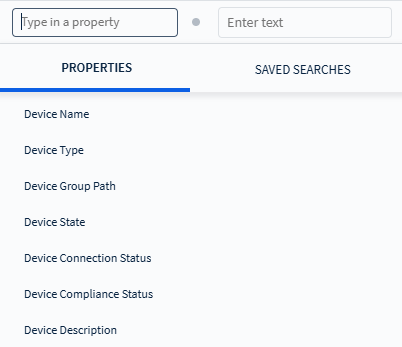
- Optional: Select Saved Search to use a previously saved search query.
-
Enter a search term in the search field, then press Enter or select the
search button.
Tip: Select the icon to store your search query for future use.