
Understanding SOTI Snap Integration in SOTI Identity
SOTI Identity 2026.0 introduces enhanced integration capabilities to support multiple SOTI Snap applications, SOTI Snap and MobiControl Managed SOTI Snap, within a single SOTI Identity tenant.
Before SOTI Identity 2026.0, each tenant could only link to a single SOTI Snap application. SOTI Identity 2026.0 supports linking both SOTI Snap and MobiControl Managed SOTI Snap within the same tenant. This enhancement strengthens integration with SOTI MobiControl and gives organizations greater flexibility to build, deploy, and manage applications across environments.
SOTI Snap Applications
There are two types of SOTI Snap applications. The following image highlights the SOTI Snap and MobiControl Managed SOTI Snap in the SOTI Identity console.
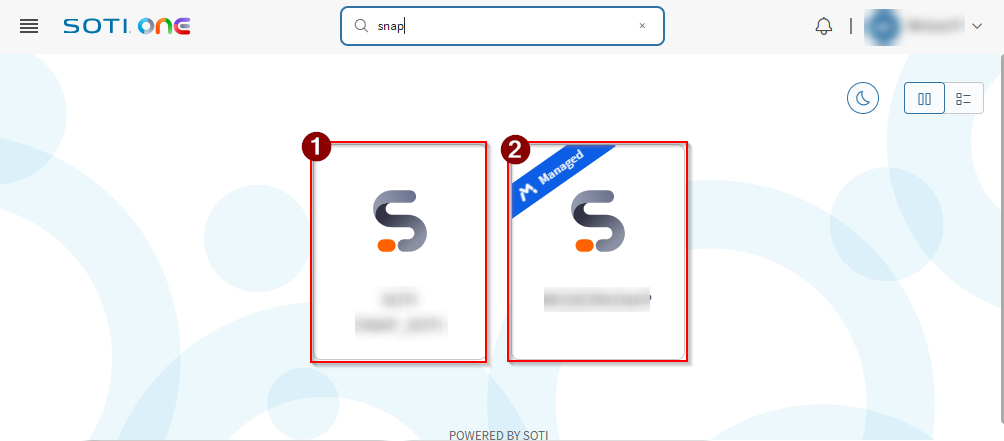
The table below describes the two available SOTI Snap application types and their usage scenarios.
| Application Type | Description |
|---|---|
| 1: SOTI Snap | Build cross-platform mobile apps in minutes using a drag-and-drop interface. Supports environments using SOTI MobiControl versions earlier than 2026.0. |
| 2: MobiControl Managed SOTI Snap | Build lockdown templates, business, and standard applications
that are tightly integrated with SOTI MobiControl
app policies. Supports environments using SOTI MobiControl 2026.0 and later. Note: MobiControl Managed SOTI Snap application must be linked to at
least one SOTI MobiControl instance. See Configuring the SOTI ONE Integration for SOTI Snap.
|