
Upgrading SOTI Connect Version
Before you begin
About this task
Important:
- When updating SOTI Connect, you must upgrade sequentially. For example, to upgrade from SOTI Connect 2.3 to SOTI Connect 2.4: first upgrade to SOTI Connect 2.3.1 and then upgrade to SOTI Connect 2.4.
- The SOTI Connect installer archives the entire old
Rule History into a zip package (which has a
*.csvfile) during the version update to SOTI Connect 2025.0. See Rules History for more details. - When entering the SQL server hostname for any SOTI Connect component, make sure to enter the full hostname and is the same across all components.
- Database mirroring is not supported.
You can upgrade SOTI Connect to a newer version by following the supported upgrade paths.
| Current version | Target version |
|---|---|
| 2024.2 | 2025.0 |
| 2024.1 | 2024.2 |
| 2024.0 | 2024.1 |
| 2.5.1 | 2024.0 |
| 2.5.0 | 2.5.1 |
| 2.4.2 | 2.5.0 |
| 2.4.1 | 2.4.2 |
| 2.4 | 2.4.1 |
| 2.3.1 | 2.4 |
| 2.3 | 2.3.1 |
| 2.2 | 2.3 |
| 2.1 | 2.2 |
| 2.0.1 | 2.1 |
| 2.0 | 2.0.1 |
| 1.3 | 2.0 |
| 1.2 | 1.3 |
| 1.1.2 | 1.2 |
| 1.1.1 | 1.1.2 |
| 1.0 | 1.1.1 |
Note:
- Do not use "
." as the SQL server name as the installation or upgrade may fail. - Make sure to use the same database connection credentials (for example: SQL Server address, username, and password) across all machines during installation or updates of SOTI Connect components. Be mindful of case sensitivity in your credentials. Variations between uppercase and lowercase cause errors in the Logging Service start up.
Procedure
- Extract the SOTI Connect installation package (.zip file) to a temporary folder.
- Double-click the installer (SOTI Connect Installer.exe) and confirm that you want to allow changes to your system.
-
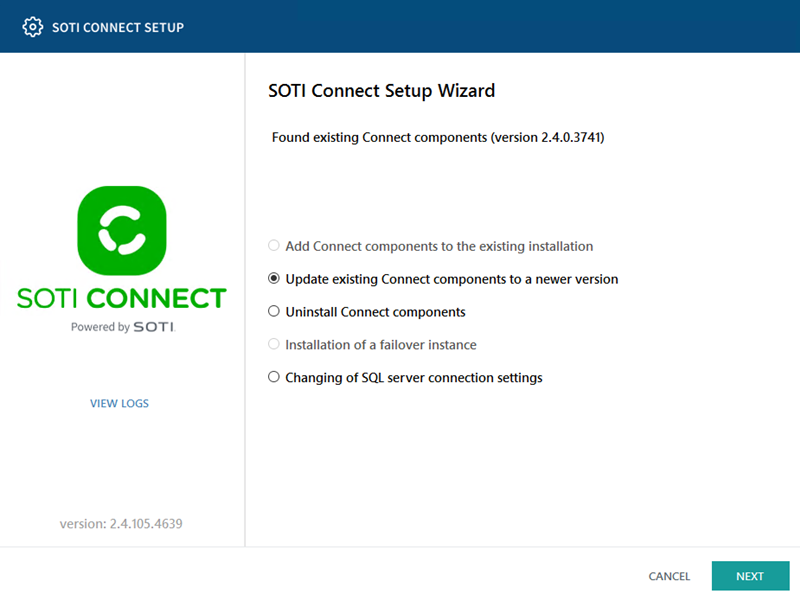
In the Setup Wizard, select Update Existing Connect Components to a Newer
Version, then select Next.
-
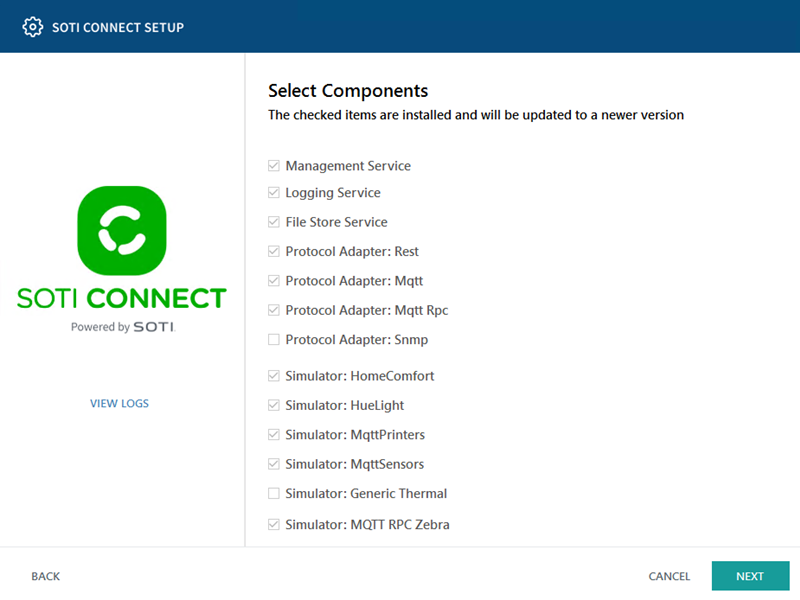
The wizard displays a list of installed components available for update. Select
Next to proceed.
 Note: The Remote Protocol Adapter Update feature is available for SOTI Connect 2025.0. See Remote Protocol Adapter Update for more details.
 -
Follow the on-screen instructions in the wizard to complete the update.
Important: After the installation (or upgrade) is complete, fully exit the installer before continuing.
Results
Troubleshooting: If you previously encountered the DTD Repair
Failure error when upgrading to SOTI Connect version 2024.2,
do not upgrade to version 2025.0. Make sure you run the DTD
Repair component of the SOTI Connect 2024.2
installer first before upgrading to 2025.0. See DTD Repair
Failure for more details.