
Setting Up Passkey Authentication
Register a passkey in SOTI Identity to enable secure, password-less authentication.
Before you begin
Important: Passkey authentication is available only
for local SOTI Identity users.
About this task
- Improve security by replacing passwords with biometric or hardware-based authentication.
- Simplify login and enable faster access across devices.
- Enhance convenience using built-in features such as Face ID, Touch ID, or Windows Hello.
- Support shared or kiosk devices that require quick, secure, and personalized access.
Restriction: You can connect a maximum of three
passkeys to your account.
Procedure
To set up passkey authentication:
- Log in to the SOTI Identity Console.
- Select your username in the upper-right corner.
-
Select .
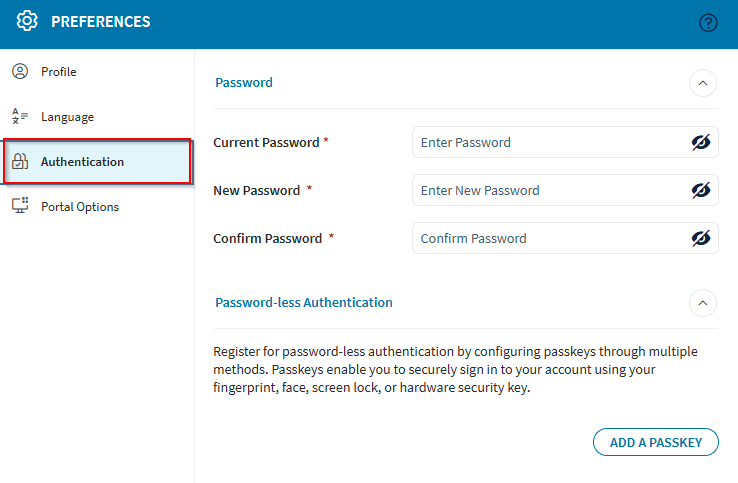
- Select Add a Passkey and enter a name for the passkey.
- Select Proceed. A popup appears with setup options.
- Follow the prompts to set up your passkey using your preferred device.