
Using Account-driven User Enrollment
Account-driven user enrollment streamlines Bring Your Own Device (BYOD) setup and management. Users no longer need to download and install enrollment profiles manually. Instead, they sign in directly on their device with a Managed Apple ID or a federated Apple Business Manager (ABM) account.
Before you begin
Important: Use account-driven user enrollment on
devices running iOS 17 or later or iPadOS 17 or later. Devices on iOS 18 or
later or iPadOS 18 or later must use account-driven enrollment (the SOTI Enrollment service is not supported). Devices on iOS
16 or earlier and iPadOS 16 or earlier must use the SOTI Enrollment service.
- SOTI MobiControl version 2025.0.1 or later
- Apple devices running iOS 17 or later, or iPadOS 17 or later
-
Managed Apple IDs or enterprise accounts federated in Apple Business Manager (ABM)
Account-driven enrollment involves:
Configuring the Discovery Service
Procedure
- Create a user-based iOS enrollment policy with Account-driven enrollment enabled. See Creating an iOS Enrollment Policy.
-
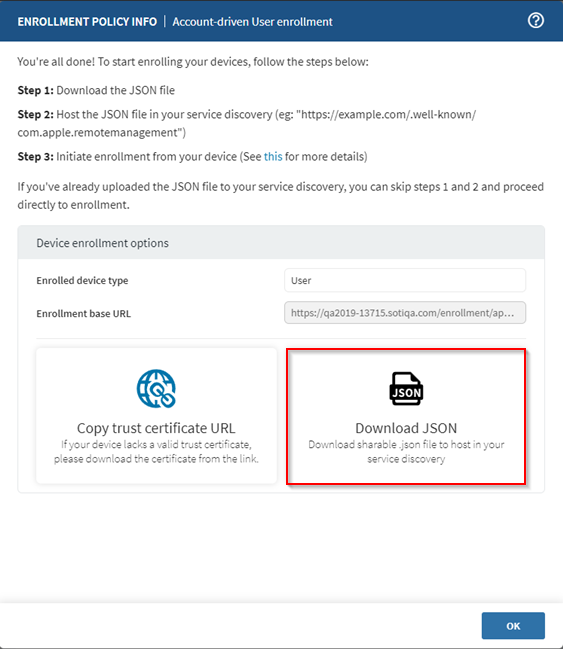
Select Download JSON in the created enrollment
policy to download the .JSON registration file.
//example JSON registration file content { "Servers": [ { "Version": "mdm-byod", "BaseURL": "https://<your-mobicontrol-server>/appleenrollment/userenroll.mobileconfig" } ] } -
Host the .JSON file at a well-known endpoint in your
enterprise’s service discovery system. For example, a
GETrequest tohttps://acme.com/.well-known/com.apple.remotemanagementshould return the JSON object containing your SOTI MobiControl enrollment base URL.
Enrolling Your Apple Device
Procedure
-
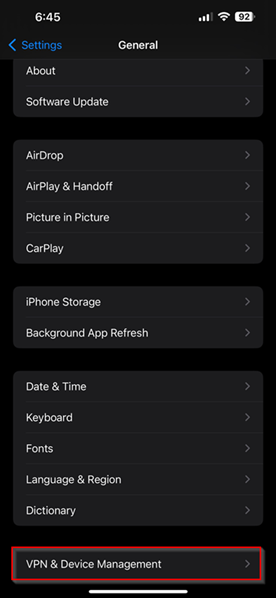
On the device, navigate to .
-
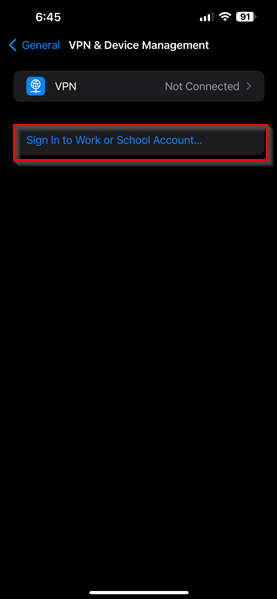
Select Sign In to Work or School Account.
-
When prompted, enter your Managed Apple ID or federated user account. The
device uses this account to find the correct enrollment URL from the
com.apple.remotemanagementdomain.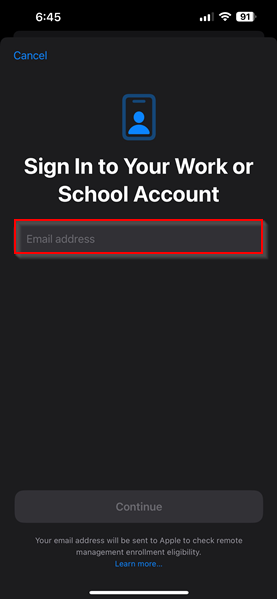
- Enter your organizational username and password to authenticate.
-
After successful authentication, the device automatically receives the
enrollment profile. Follow any on-screen instructions to complete
enrollment.
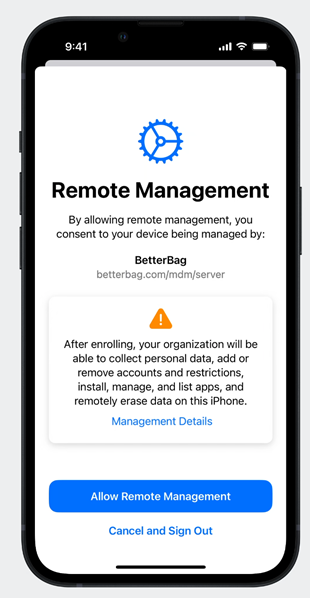
- If required, authenticate again to complete the device configuration.