
Load Balanced Deployments
Improve the reliability and performance of SOTI XSight services by distributing traffic across multiple servers. When one server encounters an issue, another server continues to process requests without service disruption. All load-balanced servers use a shared database.
SOTI XSight supports the following load-balanced deployment models.
Same Server
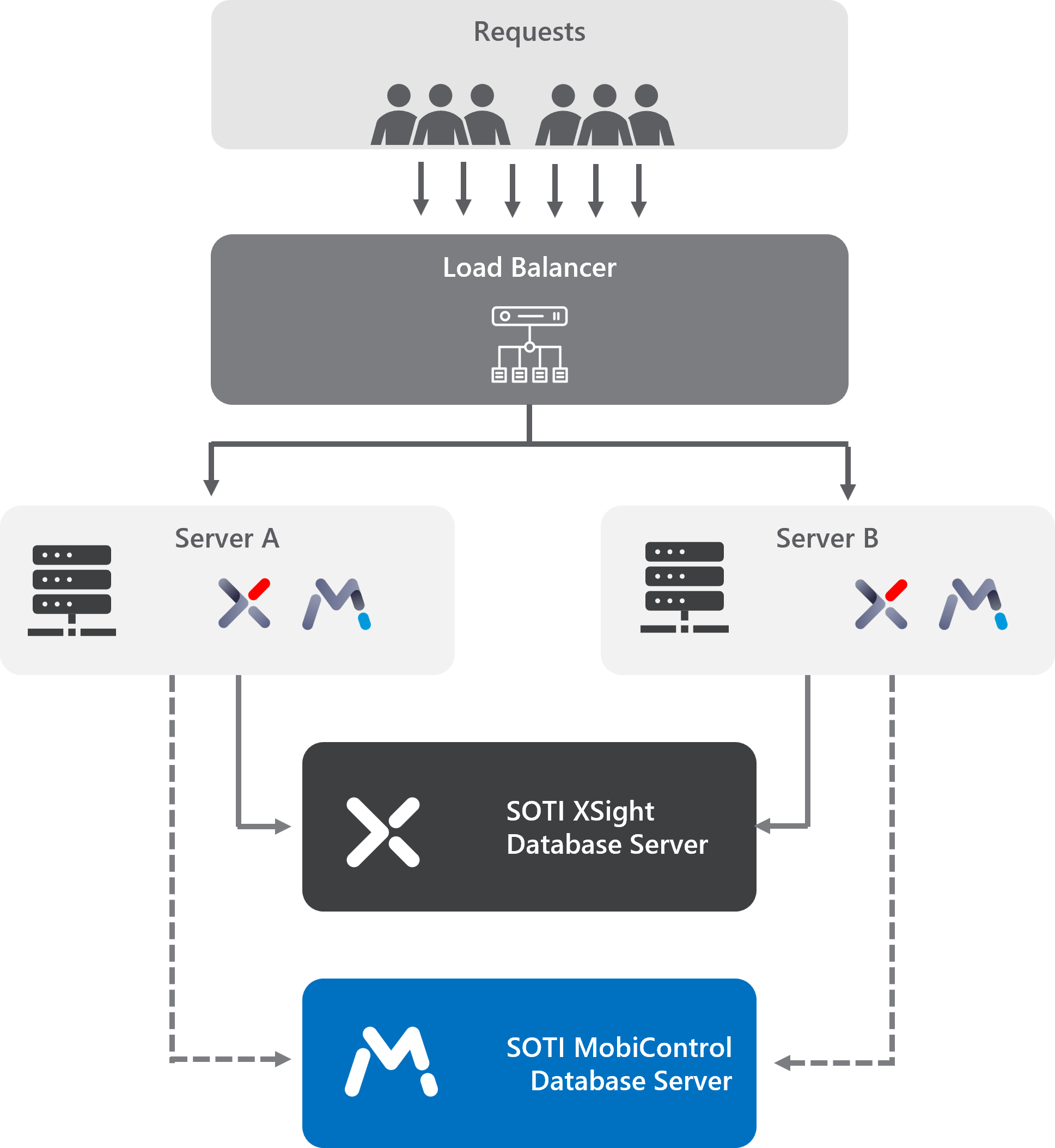
In this deployment, each server in the load-balanced environment hosts both SOTI XSight and SOTI MobiControl instances, which communicate with each other directly.
During installation, use relative URLs to configure each SOTI XSight instance to connect directly to the SOTI MobiControl instance hosted on the same server.
Separate Servers
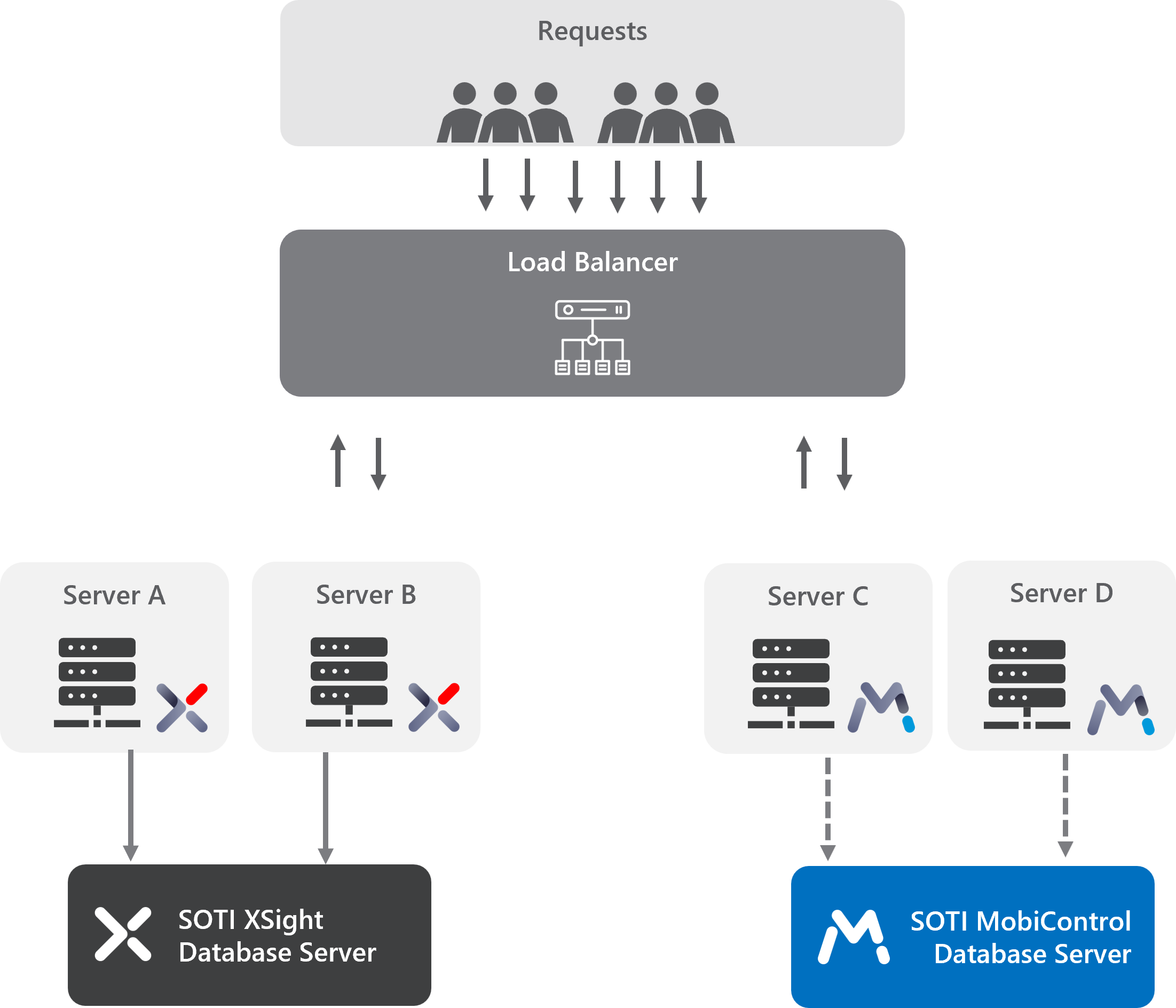
In this deployment, SOTI XSight and SOTI MobiControl run on separate servers. For example, SOTI XSight instances run on Server A and Server B, while SOTI MobiControl instances run on Server C and Server D. All servers communicate through the load balancer.
Location Service in Load-balanced Environments
Install Location Service on only one server in the load-balanced environment. If Location Service exists on multiple servers, disable it on all servers except one.
External data provider requests, such as Cisco Spaces, Extreme Networks, and Aruba Central, route through the load balancer. Configure the Location Service Data Provider settings to route traffic through the load balancer, which will then forward the data provider updates to the internal server hosting Location Service.
For detailed instructions, see Setting up Location Service in Load-balanced SOTI XSight Servers.