iOS Single Sign on |
Single Sign-on enable device users to authenticate once instead of multiple times to multiple different apps. Once user authenticated to first app, authentication is passed along to other apps as specified by the MobiControl administrator. MobiControl Single sign on feature provide ability to specify Single Sign-on account profile for iOS devices. Administrator would have ability to setup one or more Single Sign-on accounts and to add specific apps per account.
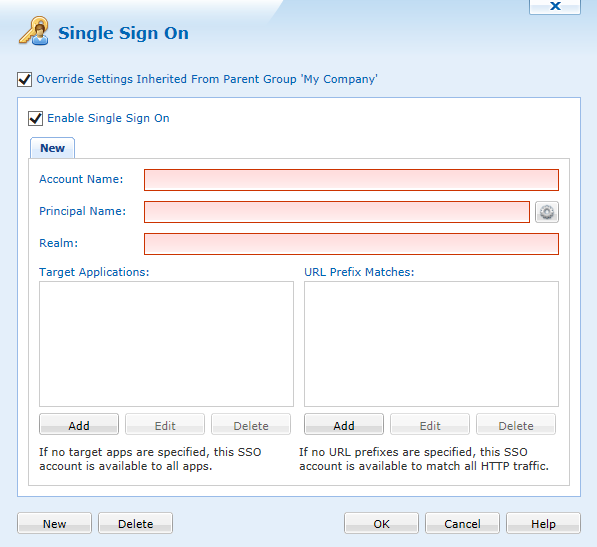
To create Single Sign On account, specify an account name. This account name is also known as SSO account that is used to identify SSO account under Profile section on end user device. To add another SSO account click on  .
.
| Field Name | Description |
|---|---|
| Account Name | The SSO Account name. |
| Principal Name |
The Unique Kerberos Principal name. |
| Realm |
Required associated Kerberos Realm. |
| Renewal Certificate (iOS 8+) | Grouped list of certificates or templates by PKI, SCEP or other, that are part of the same profile. (Disabled if no certificates or templates are included in the profile) |
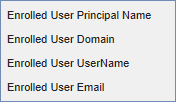
Kerberos Principal Name can be specify using one of available macros.
|
|
Target Applications can be specified by using  button. Alternatively, you can specify URL prefix.
NOTE:
URL prefix should be in the form of http://www.example.com.