iOS Fonts |
The font feature enables you to configure font settings by uploading font files. Uploaded fonts are pushed to iOS 7 devices and users can select these fonts from their device.
To access the Fonts configuration dialog box, click the Add button in the Add Profile dialog box, then click Fonts under the Other heading.
To add a font to a device, first you must upload it. To upload/add a font press the  button.
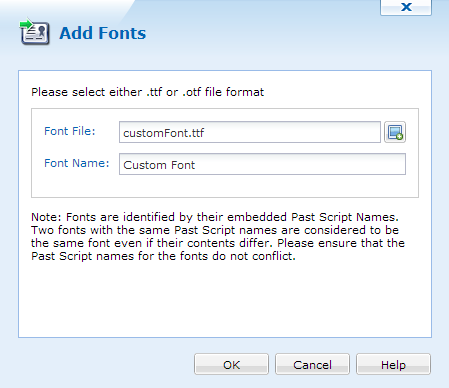
Add Font dialog box
Select your font file and give it a name, font files must be either .ttf or .otf file extensions. When done click  . Your font will be added to the list of Available fonts. When the font is in the Available font list you may push the font to the Selected Fonts List and press . This will push the font to the device.