iOS SCEP |
MobiControl's SCEP policy, configures iOS devices to reach a SCEP server and request a certificate.
To get here, right click a device/device group, and select Device Configuration. Once the Device Configuration window appears, click SCEP.
Note:
To set up certificate templates, Certificate Authorities must be set up. Please see the Certificate Authorities page for more information.
Templates allows the same configuration to be sent down to iOS devices. This ensures that each certificate received by the device is dynamic.
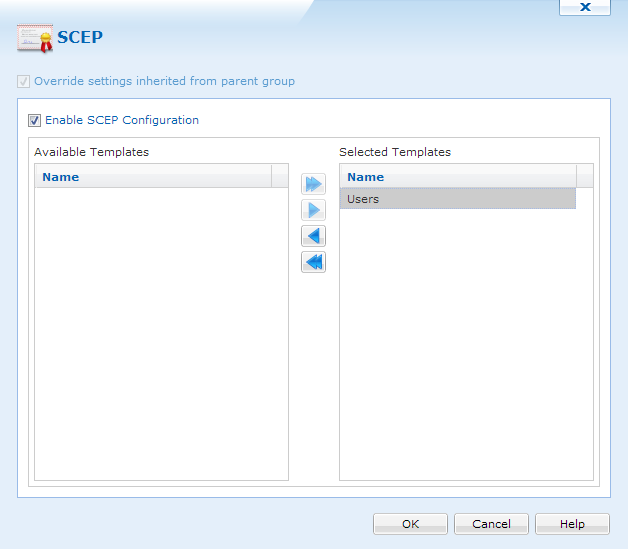
Selecting SCEP Templates
Templates are based off the templates configured in Certificate Authorities. Please see the Certificate Authorities page for more information about certificate templates.
When templates are configured, we can select one or many, and move it to the Selected Templates panel.
After all templates have been selected, clicking  , will close the window and apply the settings.