
|
Subscribed Calendars |
MobiControl can configure the subscribed calendar section for iOS devices. Subscribed calendars add calendar entries to the device's calendar app. These entries cannot be edited and can only be viewed.
To enable Subscribed Calendars for a device or group of devices, right click a device or group, and select Device Configuration, from there, click Subscribed Calendars.
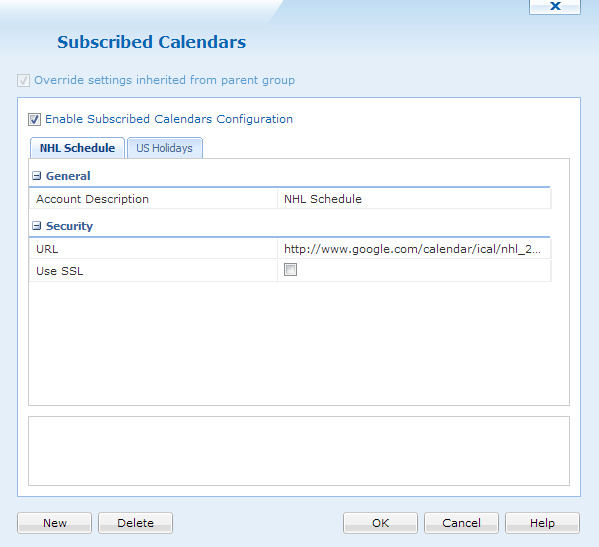
Subscribed Calendars dialog box
If more than one Subscribed Calendar is needed to be configured, selecting  will create an additional entry.
| Field Name | Description |
|---|---|
| Account Description | The name of the subscribed calendar. |
| URL | The URL for the calendar. |
| Use SSL | If SSL is needed for a calendar, select this option. |
Example:
Google offers a wide range of subscribed calendars. For example, if you would like to add US holidays to all iOS devices, use this URL:
http://www.google.com/calendar/ical/en.usa%23holiday%40group.v.calendar.google.com/public/basic.ics
If a Subscribed Calendar is not needed anymore, just select  . After all configurations are done, click
  .
.