
|
Web Clip |
Web Clips are essentially shortcuts to URL's. Files and websites are often the target URL's.
The Web Clips are stored on the device, and points directly to the source. For example, a PDF hosted on a company website. A Web Clip would point to the source address.
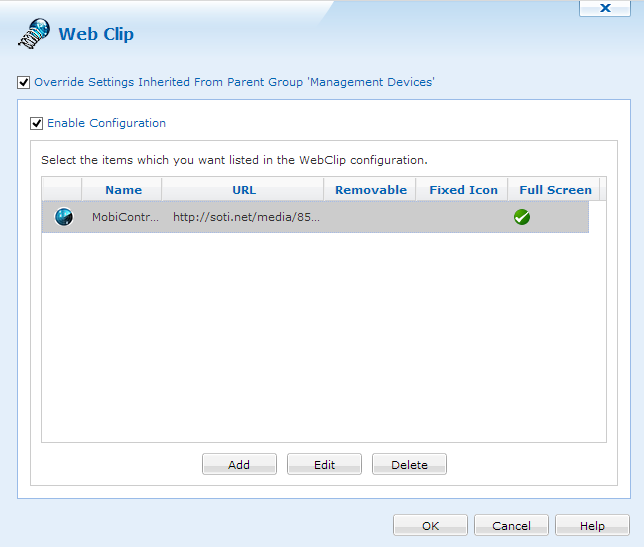
Web Clip Dialog
To add a new Web Clip panel click on the  button. To edit previously added Web Clips click on the
  button.
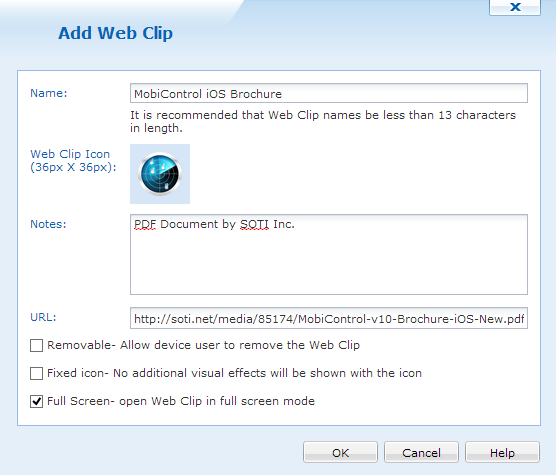
Adding a new Web Clip
| Item | Description |
|---|---|
| Name | Name for the Web Clip as it will appear on the device |
| Icon | Icon for the Web Clip as it will appear on the device |
| Notes | Description of the Web Clip |
| URL | URL path to the Web Clip |
| Removable | Allows the device user to remove the Web Clip |
| Fixed Icon | No additional visual effects will be shown with the icon |
| Full Screen | Open Web Clip in full screen mode |