
|
iOS APN Configuration |
If a cellular company has given specific APN connection settings to allow devices to connect to the Internet, MobiControl allows us to centrally manage these settings through a special configuration.
To access this configuration, right click a device (or group) and click Device Configuration. When the Device Configuration panel appears, click APN under Connectivity.
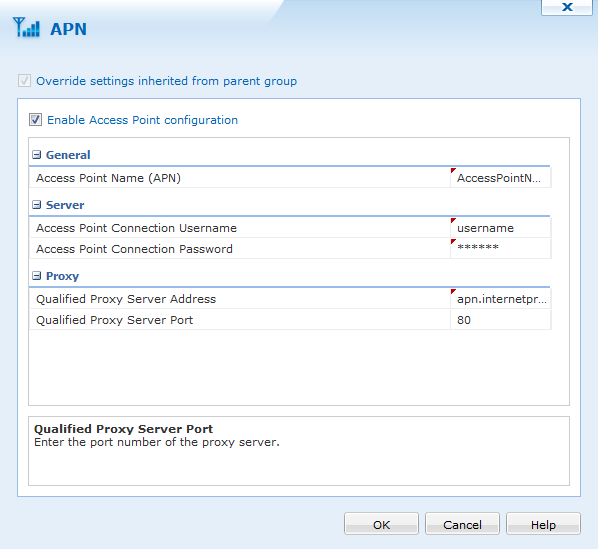
Configure APN dialog box
| Item | Description |
|---|---|
| Access Point Name | Enter the SSID if the Wireless network the device connects to |
| APN Connection Username | Select the Network Security type used by the Wireless Access Point |
| APN Connection Password | Enter the Password required in order to connect to the Wireless Network |
| Qualified Proxy Server Address | Enter the Server Address for the APN connection |
| Qualified Proxy Server port | Enter the Server port for the APN connection |